Turn Happy Guests into Google Reviews Before They Walk Out: A Practical Guide for Restaurants & Cafés
A step-by-step, tactical guide that shows how to design a simple end-of-visit flow—using bill prompts, counter stands, takeaway touches and staff scripts—to make it natural for guests to leave a Google review right after their meal.

Ready to collect more reviews without annoying your guests?
?Most guests want to leave feedback when they’re still feeling good after a meal — but the moment passes fast. This guide explains how small, well-placed prompts at the end of the visit make leaving a Google review easy and natural, so your restaurant or café gets more visibility and more bookings without pressuring diners.
Why an end-of-visit flow matters
Reviews influence discovery on Google and help potential guests choose your place. Making review collection part of the natural exit routine captures feedback at peak satisfaction and reduces friction. Businesses using visible, simple tools report clear improvements in review volume and online visibility—one customer noted their Google reviews doubled within a month after placing a Reviewcard stand—showing how effective a friction-free exit prompt can be.
Design principles for a low-friction exit experience
Keep it simple, fast and optional. Three rules: (1) remove steps — guests should tap or scan and be taken directly to the review page; (2) be respectful — ask for honest feedback, not only perfect scores; (3) integrate into existing touchpoints so staff don’t need to change routines. Use visible prompts, make the action single-step (NFC tap or one-click QR link), and avoid anything that delays the guest on their way out.
Where to put prompts: practical placement ideas
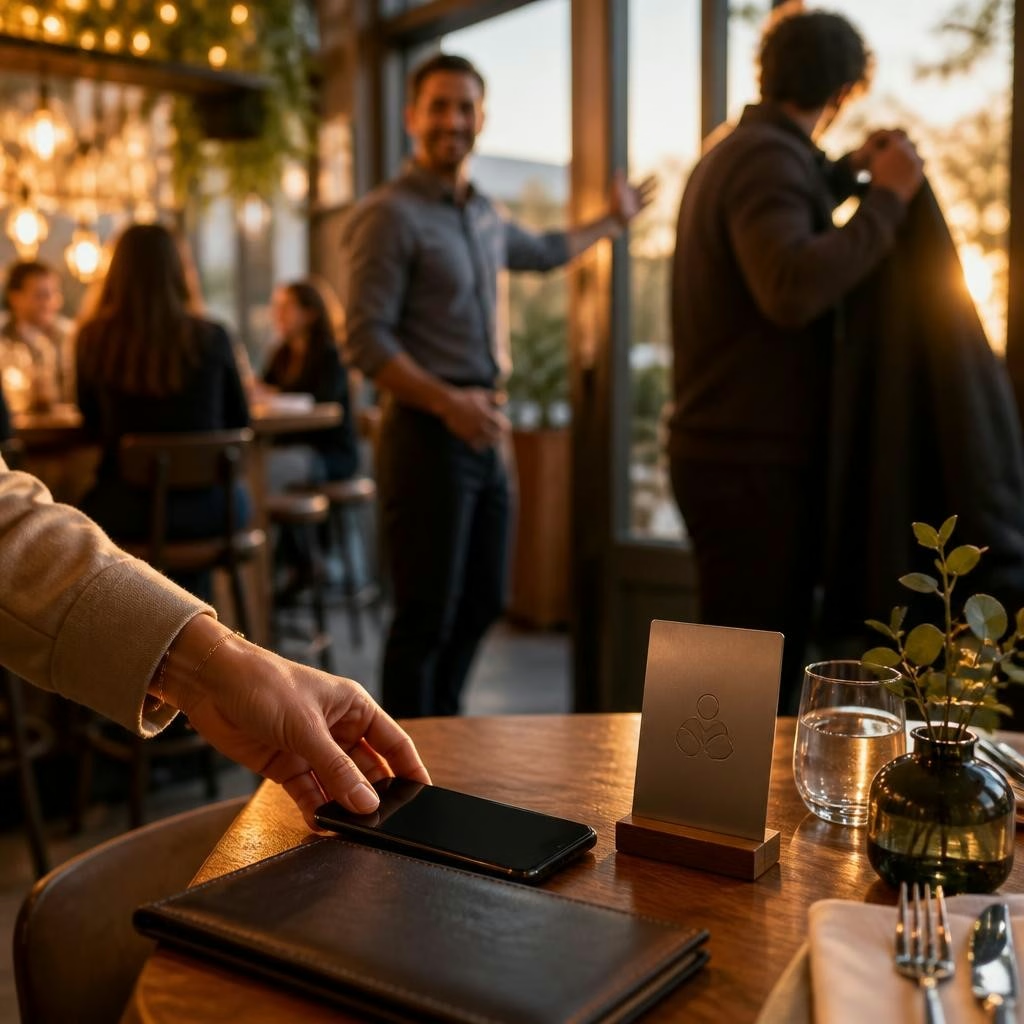
Place a single, clear prompt where the guest naturally pauses: the bill folder or check holder, the counter near the exit, the takeaway bag or handover point, and near the restroom mirror or exit door. Eye-catching items like a small counter stand or a plaque near the cashier get noticed; door hangers or table cards work well for sit-down guests. Choose one primary spot first to avoid clutter, then expand once the staff routine is comfortable.
What to use: NFC, QR, and physical prompts
Offer a frictionless tap-or-scan option: NFC plaques and stands let guests tap their phone and open the review page instantly; QR codes are a low-cost alternative that works on all phones. Physical prompts should be professional and on-brand — a tasteful counter stand, a small card in the bill folder, or a sticker on takeaway packaging. If you use a third-party reputation system, those products can connect directly to your Google review link and help funnel responses into one dashboard.
Simple copy that converts (examples)
Use short, friendly copy that sets expectations and reduces friction. Examples you can adapt: “Loved your meal? Tap here to leave a quick review!” or “Enjoyed your visit? Scan the code — it takes 30 seconds.” Keep the CTA visible and positive; avoid asking only for 5-star reviews — instead ask for honest feedback. Small visual cues (star icons, phone-tap symbol) help guests understand the action at a glance.
Staff prompts and timing: how to ask without pressure
Train staff to make a brief, natural invitation when settling the bill or handing over a takeaway. Sample script: “I’m glad you enjoyed that — if you have a moment, you can tap this to leave a quick review. It really helps us out.” Make the invitation optional and brief; staff should hand over the bill with the review prompt already included so it doesn’t feel like an extra step.
Handle negative feedback privately and promptly
Not every response will be positive. Offer a private channel for dissatisfied guests — a quick tablet form, a short survey link, or a conversation with a manager — so issues can be resolved before they reach public platforms. Use your reputation management dashboard to filter and respond quickly; many businesses use automated workflows to route critical feedback to staff and to publish positive reviews selectively, preserving a polished public presence while improving guest experience behind the scenes.
Run a two-week experiment: a simple checklist
Start small to find what works: (1) choose one primary prompt (bill folder or counter stand), (2) add clear copy and either NFC/QR, (3) train staff with a one-minute script, (4) measure baseline review rate for the prior two weeks, then track reviews collected during the experiment. Check visibility, staff comfort, and review volume. After two weeks decide whether to scale to takeaway bags, restroom mirrors, or exit signage based on results.
Next steps and how we can help
If you want practical help implementing an end-of-visit flow, Social Media Gids (based in The Hague) offers eye-catching Reviewcard products and an AI-powered reputation dashboard that simplifies collection and responses. We can advise which prompt fits your layout, provide NFC or QR solutions, and help measure results with a short rollout plan. If you'd like a free consultation to map a 12-week plan for review growth, plan a conversation and we’ll walk through the simplest, least-intrusive setup for your restaurant or café.
Customer review


Article by
Social Media Gids
Wil je online meer klanten (en omzet) zonder te verdwalen in losse marketingtrucjes? Met het 3-Phases Digital Marketing Framework® van Social Media Gids begeleiden we je stap voor stap door de hele klantreis: van gevonden worden tot automatisch verkopen. CONNECT: we bouwen je reputatie, maken een sales funnel website die converteert en creëren content die aantrekt. COMMIT: we zorgen dat je droomklant je vindt (SEO), je leert kennen (social) en jou kiest via slimme ads (social + Google). CLOSE: we zetten leads om in klanten met e-mailmarketing, extra omzet uit je bestaande klanten en automatisering + analytics. Klaar om te groeien met een helder 12-weken plan? Plan een gesprek en ontdek jouw snelste route naar meer sales.