How to Collect Guest Reviews While They’re Still in the Room: A Practical Guide for Hotels & B&Bs
Learn simple, guest-friendly ways to request reviews during a stay (door hangers, in-room prompts, NFC tap-to-review), how to follow up after checkout, and why doing this can improve visibility and increase direct bookings.

A quick question to start
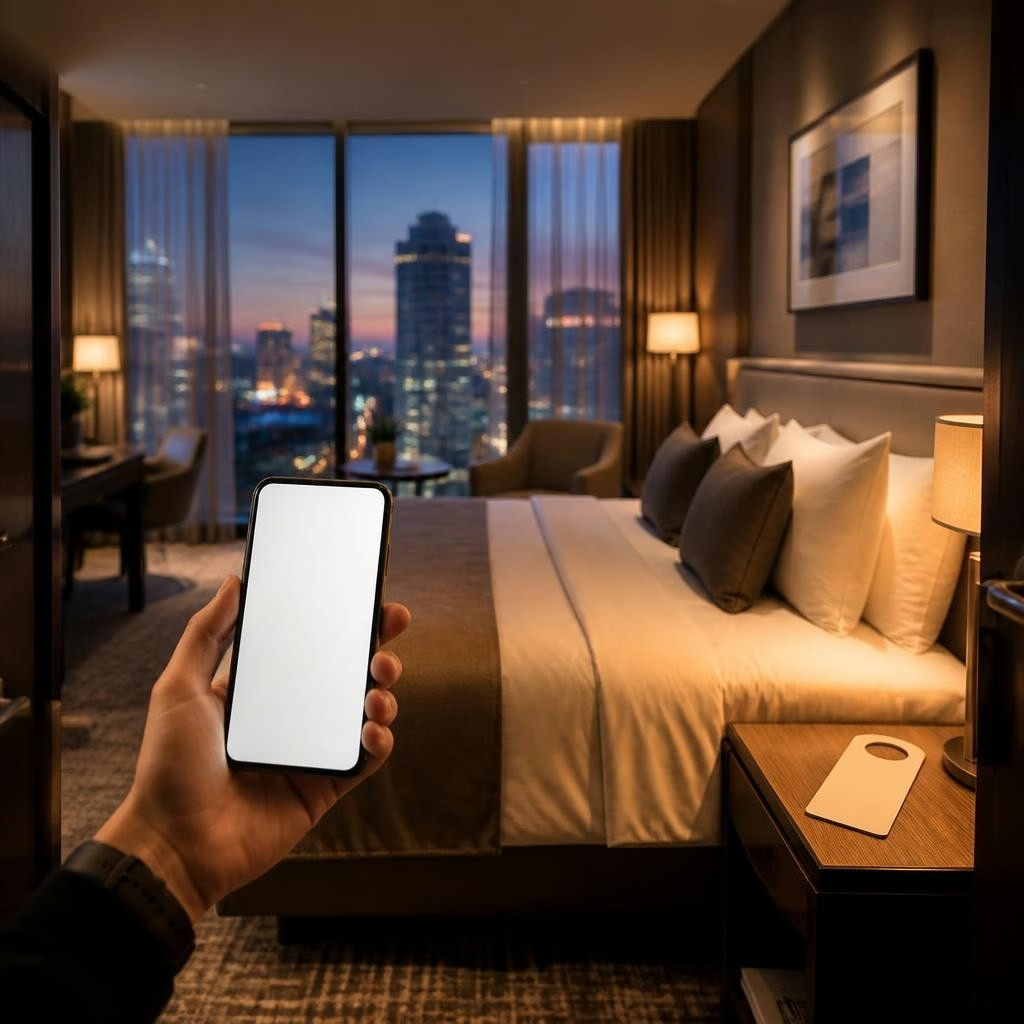
?Want more honest, timely reviews from guests without making them hunt for links at checkout? Asking for feedback while guests are still relaxed in their room is one of the simplest ways to increase responses and capture impressions when they’re freshest.
Why in-stay reviews work better
Guests are more likely to leave feedback during their stay because the experience is immediate in their mind and the friction to respond can be minimal. Collecting feedback in-room reduces the chance that a guest will forget, lose a follow-up email, or be distracted after travel. For hotels and B&Bs this means more real-time insights and a steadier flow of new online reviews.
In-room tools that make it effortless
Simple, well-placed touchpoints encourage action. Door hangers, bedside cards, mirror hangers, and small plaques near the room exit are unobtrusive prompts guests can act on immediately. Many properties also use tap-to-review NFC items (wristbands or plaques) that let guests leave feedback with a single tap. Customers report that guests appreciate these easy, low-effort options and that response rates go up when the prompt is obvious and simple to use.
Designing the right prompt
Keep in-room prompts short, positive, and clear about the action: a friendly question, a short ‘how to’ line, and a single call to action. Avoid long instructions or pages of text. Examples of best practice include a short headline, a one-line description of what the guest will do, and a clear button or tap instruction. Test two or three wordings and placements to see which gets the best response from your guests.
Where to place prompts for highest impact
Place prompts where guests naturally look or act: on the doorknob, beside the bed, on the bathroom mirror, or at the exit route. A plaque near the reception or breakfast area catches guests who didn’t respond in-room. For properties using NFC or QR codes, position them within easy reach and make sure lighting and contrast keep them visible in low-light conditions.
Timing and coordinating with staff
Train front-desk and housekeeping teams to mention the review option casually during check-in or mid-stay interactions — a friendly reminder often nudges guests to act. Keep the request short and optional: a quick, “If you enjoyed your stay, there’s a quick way to leave feedback in your room” is usually enough. Staff can also note any special moments (complimentary upgrades, surprise requests fulfilled) so follow-up asks feel personalized rather than generic.
Following up after checkout (without annoying guests)
If a guest hasn’t left feedback in-room, a short follow-up message after checkout gives one more opportunity. Keep it timely and lightweight — a polite thank-you plus a single, direct link to leave a review. If you use reputation software, it can automate these messages and surface which guests already left feedback so you avoid duplicating requests.
Using feedback constructively (and privately)
Not all responses will be public five-star reviews, and that’s useful information. Offer a private channel for guests to report problems and train staff to respond quickly to fix issues before a negative review appears online. Reputation tools that filter and highlight the best reviews for public display help you present the strongest testimonials while capturing constructive feedback internally.
How more in-stay reviews help occupancy and direct bookings
Fresh, frequent reviews improve your online visibility and build trust with future guests. When potential guests see recent, relevant feedback they’re more likely to book directly rather than rely solely on third-party platforms. Hoteliers who use easy in-room prompts and reputation management frequently report better visibility, more incoming enquiries, and higher conversion from site visitors to direct bookings.
A short checklist to get started
1) Choose two in-room touchpoints (door hanger + bedside plaque) and one public location (reception or breakfast area). 2) Keep messages short and test two wordings. 3) Train staff to offer a brief, optional nudge during service moments. 4) Use a simple follow-up message after checkout with one clear link. 5) Route negative feedback privately so staff can resolve issues quickly. If you want help implementing NFC or a reputation dashboard, Social Media Gids offers Reviewcard products and software to make collection and follow-up easier.
Customer review


Article by
Social Media Gids
Wil je online meer klanten (en omzet) zonder te verdwalen in losse marketingtrucjes? Met het 3-Phases Digital Marketing Framework® van Social Media Gids begeleiden we je stap voor stap door de hele klantreis: van gevonden worden tot automatisch verkopen. CONNECT: we bouwen je reputatie, maken een sales funnel website die converteert en creëren content die aantrekt. COMMIT: we zorgen dat je droomklant je vindt (SEO), je leert kennen (social) en jou kiest via slimme ads (social + Google). CLOSE: we zetten leads om in klanten met e-mailmarketing, extra omzet uit je bestaande klanten en automatisering + analytics. Klaar om te groeien met een helder 12-weken plan? Plan een gesprek en ontdek jouw snelste route naar meer sales.